VR modding with agents
What I learnt adding VR support to Space Marine 2.
Here's the mod itself: github.com/Joe975/space-marine-2-vr
And general agent guidance and skills for attempting other VR mods: github.com/Joe975/vr-modding-with-agents
TLDR:
- Do the homework. Search the web for existing mods, modding guides and how the engine works before coding anything.
- Get the agent to test its own work. You are the slowest part of the process. Let the agent see the headset stream, drive controller actions and read game state without you there.
- Playtest for what feels good in VR. Record your mic while playing and info dump alllll the bugs you spot, with enough detail to reproduce them.
0Setup
I did most of this with 2 weeks' worth of Codex on ChatGPT Pro ($100/month). A basic playable version is probably doable on the cheaper ChatGPT/Claude plans if you don't burn tokens making the same mistakes I did.
Otherwise all you need is a VR headset and a PC you're happy to let Codex drive while it works through the changes.
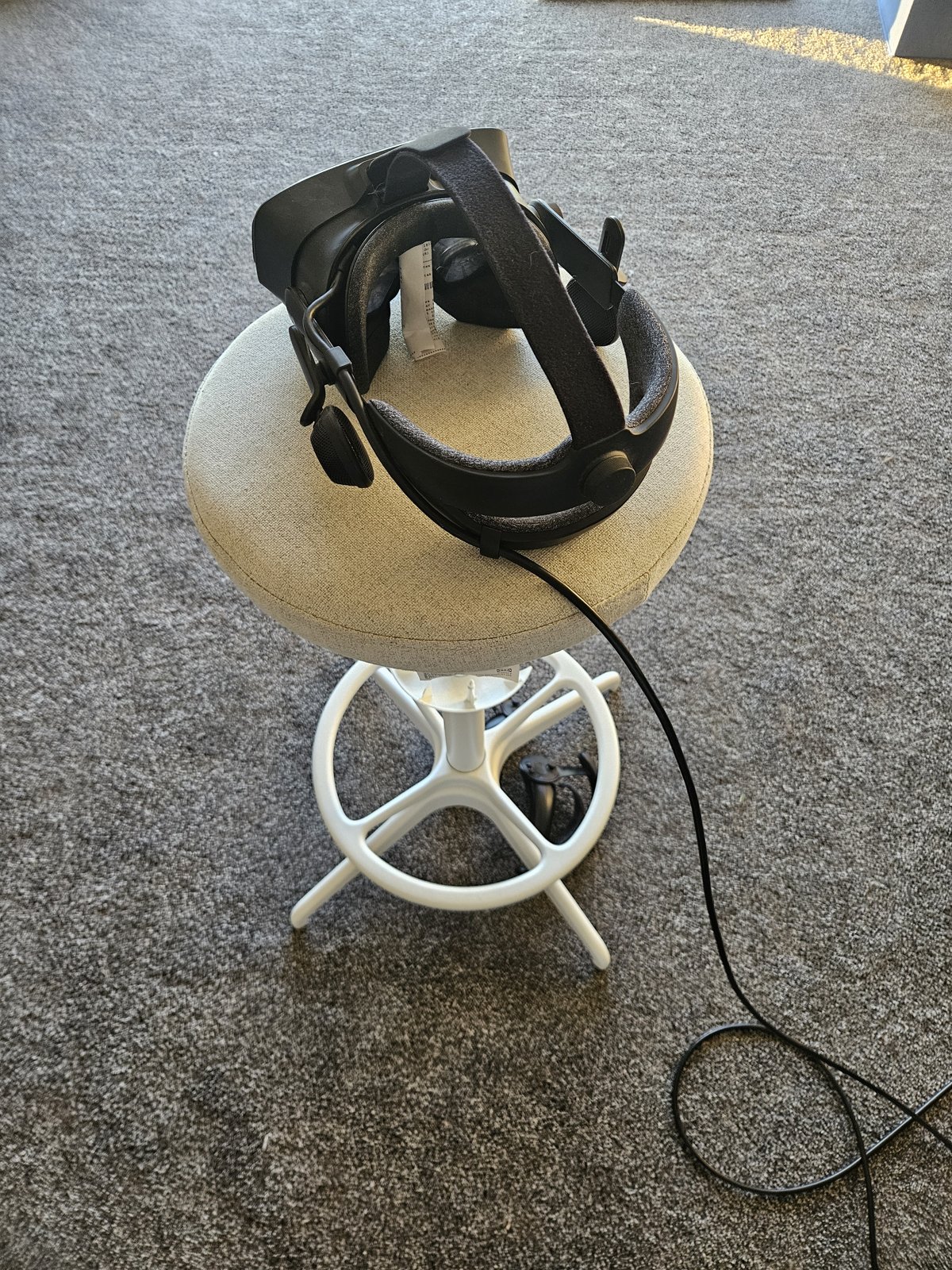
My setup: Warhammer 40,000: Space Marine 2 on a Valve Index, with a Ryzen 7 7700X and an RTX 4090. Mostly Codex on Sol 6.1 High, with Claude Code occasionally helping in parallel.
Most of what an agent needs is in the kit, which in theory can help you do the same for other games: project instructions and a skill for each step below. To set it up, open Codex or Claude Code in your mod's folder (an empty one is fine) and tell it:
Read https://github.com/Joe975/vr-modding-with-agents and set up its kit in this repo for [game]. Then start the research pass.
1Do the homework
Before asking for any code to be written, get your agent to do some research. Existing mods, game engine details: all of this saves you a ton of time and tokens figuring it out from scratch.
For example, my initial request to add VR support was done in only an hour, but Codex took the simplest path of just alternating frames between eyes: one game frame draws the left eye, the next draws the right. Easy to implement, but it means fast moving objects are shifted between the two eyes, and performance is worse than it could be.
Once I asked for a same-frame reimplementation (thanks u/optimumbox for the suggestion), it took Codex a lot longer to get going (~3 hours), but it's a better experience and a solid performance improvement.
Search the web first
- Existing VR mods of the game. The easiest mod is one someone has already made.
- VR mods for other games on the same engine, and the framework they share.
- Modding guides and tools for the game and engine. How mods load (a
dxgi.dllproxy, an ASI loader), data paks, test scenes, anti-cheat. - How the engine draws a frame. Graphics API, where the camera and projection live, and whether it already has a second camera or multi-view path. Ghidra headless and RenderDoc fill the gaps.
Questioning the agent's findings occasionally helps you feel useful here.
Make good choices
OpenXR or OpenVR? OpenXR works with every headset, while OpenVR is SteamVR only (thanks u/333hronos for pushing it). OpenVR gets you Index finger tracking almost for free, so I went OpenVR first on SM2 for the fingers, then added fingers on OpenXR later anyway.
How do the two eyes get drawn? This depends on the game engine and your token budget.
| Approach | Trade-off |
|---|---|
| Same-frame stereo | Best result. Needs an engine with a multi-view or second-camera path, and anything the game does once a frame can end up happening twice |
| Alternate-eye | The easy route Claude and Codex both liked for SM2. One stereo pair per two game frames, temporal effects can smear |
Which antialiasing? On an Nvidia card, DLSS gives the best performance. In the same scripted hangar walk on SM2 it ran 43.3 stereo pairs/s against 37.9 for the game's TAA, and looked sharper (one run each). SM2's TAA path is only tested on my 4090 so far, and its FSR will drop you to the flat game.
Agent version: vr-mod-research.
2Remove yourself from the loop
I got sick of helping the agent test its changes after the third time it tried a different approach and I saw no difference. This is good work for machines, not so much humans.
Teach the agent how to test its own changes and free yourself up to go touch grass or whatever.

This will obviously use more tokens than if you do more of the grunt work yourself, but I'm on subscription rather than paying API prices and value my time for other stuff.
When Codex asks "Can you put the headset on to see if the stereo cameras render?", your reply should be something like "Figure that out for yourself. Can't you see what the headset sees?".
Keep applying that same approach and it'll happily provide controller inputs and movements to test almost everything you'd otherwise need to do manually.
See
SteamVR's VR View mirrors the headset to a desktop window, so a screenshot of that is a quick way to let the agent see.
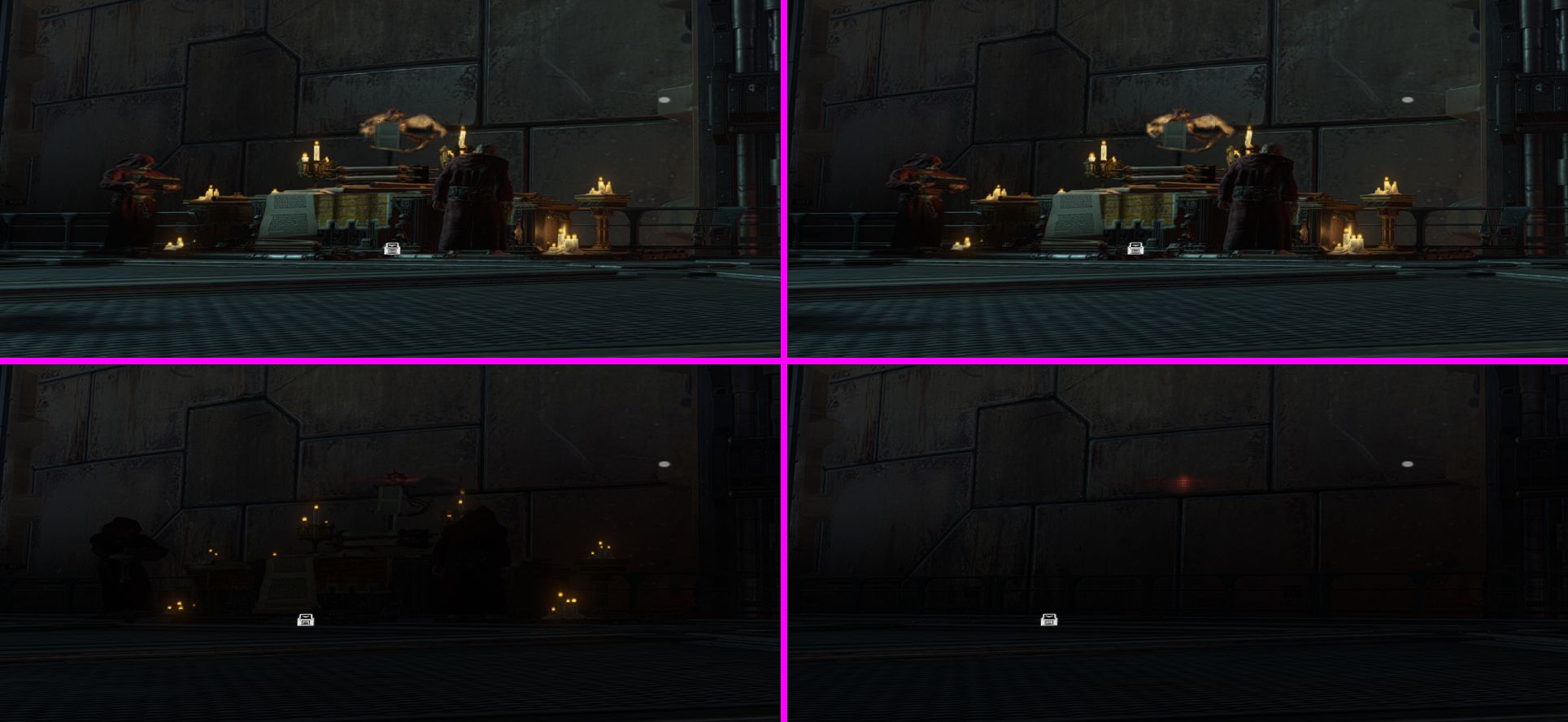
Better still, have a script do the looking. Viewing images takes a fair amount of context so token
usage adds up fast. A check that prints PASS for "both eyes render,
they aren't copies of each other and neither is the Waiting screen" costs almost nothing, and the
agent only opens the image when something fails:
frame_check.py.
Play
Seeing isn't enough if only you can hold the controllers. Sideways dodges went forward and the agent couldn't touch it without me in the headset, so I asked for a test driver: scripted buttons, sticks, grips and wrist poses fed in where the real controllers come in. A dodge is a few lines of JSON:
{"ms": 500, "move": [-1, 0]},
{"ms": 800, "move": [-1, 0], "buttons": ["dodge"]},
The first run reproduced it: full left stick plus dodge, and the character went mostly forward. 45 minutes later, eight scripted dodges went sideways with under 8 cm of drift, and I didn't have to do a thing.
Drive the menus too
Not all functionality is accessible straight on launch so you'll find the agent needs to navigate menus or can skip through them to get you to a playtest with less effort.
The agent scripts them: key presses into the game window, with the mod logging the game's menu state so the script knows where it is without screenshots.
Things that tripped it up:
- Keys only land while the game window is in front, and Windows doesn't always let it get there.
- A run where the VR session never started is not worth continuing. Fail it.
Every run, mine or the agent's, then gets a report from its log: each game state, error code and
recovery it saw, with anything never seen before marked NEW.
Check both eyes match the camera
Same-frame stereo on SM2 adds a second camera to the game's own render list. One eye can look fine while the other is quietly wrong, so get the agent to compare both eyes at a known pose:
- Shadows, lights and culling. Same objects, lights and shadows in each eye. SM2's right eye lit itself with the left eye's light data, which showed up as big squares of wrong lighting, and turning the game's occlusion culling on made its props vanish.
- Work that should only run once. Have the mod count how often each game function it hooks gets called, with stereo on and off. Per-eye work should double, per-frame work shouldn't. SM2's texture cleanup ran twice and froze the game on leaving a level.
- The picture against the camera. Project a known direction through each eye's matrices and compare it with the image. SM2's lens distortion pushed each eye's scene about 15 pixels outward, which put the whole world at the wrong depth.
Check anything the mod draws against the scene too, not against your own maths.
Measure & record
Have the mod write a trace at a fixed rate (SM2: 30 Hz): your tracked head and hands, what it sent to the game, the character's own bones and camera mode, every gesture decision including near misses, and wall-clock time so it lines up with your voice notes. Add a script that boils a session down to one page (offsets, drift per minute, gesture outcomes). Some game engines will give you more game state info than others: grab all you can!
Don't let the agent read the trace itself, though. A 179-second SM2 trace came to 13.4 MB. Give it the summary, and a query script for the few seconds around an event it cares about: trace_query.py.
Performance
Performance testing by hand is mind-numbingly boring: load the same checkpoint, stand still, wait, read a number, change one setting, repeat. Give the agent a PresentMon benchmark at a fixed checkpoint and let it do the sweep.
On SM2 the settings barely moved it. Ultra to Low on alternate-eye went from 33.73-34.19 stereo pairs/s to 36.00-36.63, and OpenXR and OpenVR averaged 44.609 and 44.615.
The one that does move it is occlusion culling, where the game skips anything hidden behind a wall. Stereo broke it, so the mod had it off for the whole game. That cost a lot: flat, in the same launch as the table below, culling off ran 63.4-63.6 fps and culling on 85.6-86.5.
Now the left eye does the culling and the right eye reuses its answer. Switched live at a held pose in the hangar:
| Hangar, one launch | Stereo pairs/s | Frame ms |
|---|---|---|
| Culling off | 37.7-37.8 | 26.2 |
| Both eyes, objects only | 46.5 | 21.3 |
| Both eyes, plus rocks and foliage | 49.6-49.7 | 19.9 |
That's a 32% gain! Which still doesn't offset the TERRIBLE performance, but hey, I'll take it.
Agent version: vr-mod-test-harness.
3The loop: play, complain, let it reproduce and fix
Your time is best spent on the part that's hard for an agent: is the game fun to play in VR?
- Does swinging a chainsword feel satisfying?
- Are grenades a quick-fire weapon or a slog to fumble from your belt?
- Do you grin like an idiot when raising a clenched fist in the air to trigger the "For the Emperor!" emote? (It's an OH HELL YEAH, btw.)
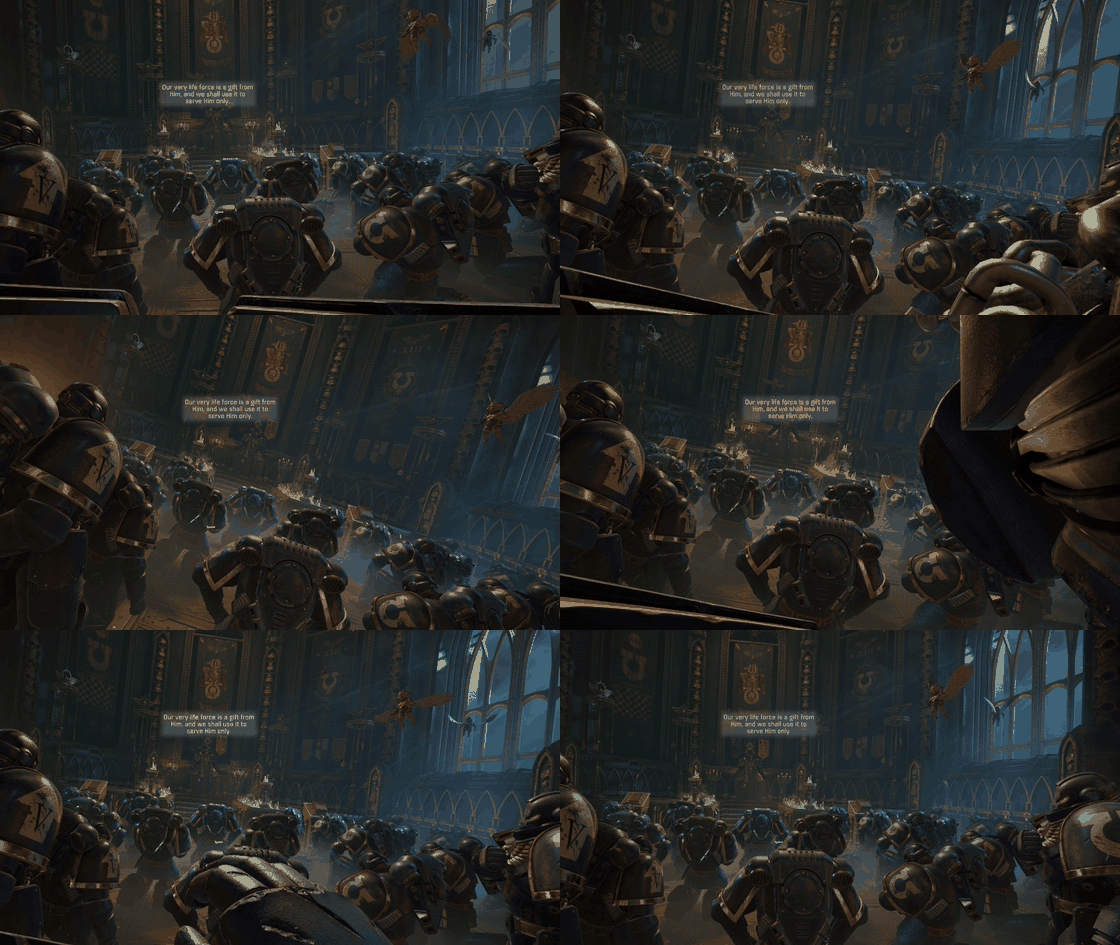
The loop itself is simple:
- Play in the headset with the mic recording, and complain about everything that's wrong.
- Tell the agent to go make sure it can reproduce each of your complaints, or come back to you for guidance if it can't.
- Go do something else while it fixes them and proves each fix against its own reproduction.
- Loop, more times than you'd think...
Complain with enough info
Talk the whole time. Say what you were doing when it went wrong ("dodging left, it went forward, maybe after turning?"), not just that it's wrong. Babble! Vague ramblings on what happened + the game state trace and screenshots are usually enough for the agent.
Say what's working too: "the dodge feels better" tells the agent a change landed and stops it fiddling.
The mic recording only helps if it lines up with the game:
- Record the mic for the whole session: a capture script, or OBS with the mic on its own track.
- Transcribe locally. faster-whisper on CPU is plenty; I used
small.en. - Interleave with the mod's trace by time. Now "the gun's aiming low" sits next to
fire aim=(0.02,-0.31,0.95) hit=no. Evidence to back up your complaint.
The recorder and interleaver I used: voice_capture.py and interleave.py.
If it can't reproduce an issue, that's a gap in the test harness it needs to fix, or you need to get better at describing what's going wrong.
One agent per complaint
General agent approach I try to stick to: don't use one long session for everything. Give each unrelated fix a fresh one: less context means fewer tokens, less waiting and fewer bugs.
After a playtest I'd have five or six things to fix, so I ran one orchestrator and a worker per issue:
- The orchestrator holds the list, hands out issues, then reviews and merges. Only it runs the game.
- Each worker gets one issue in its own git worktree, fixes it, proves it and reports back pass or fail, the commit and where the evidence is.
- Checks send back a verdict ("PASS, both eyes render"), not screenshots.
On SM2 one evening's playtest became six features, with up to three workers at once.
Set goals
Agents can be lazy. Codex and Claude Code both have
the /goal command: use it to clearly set your development goal, like "Get stereo rendering
working so I can test it in the headset" or "Please keep trying to improve this awful performance until 8am tomorrow".
Agent version: vr-playtest-loop.
Making it fun
The agent can map buttons all day. What it can't do is decide what's fun. Map every action to a button and you've got the flat-screen game with a headset on (and you've probably run out of buttons to map to).
In my opinion good VR mods turn the game's actions into things you do with your body: reach over your shoulder for the rifle, grab a grenade off your belt.
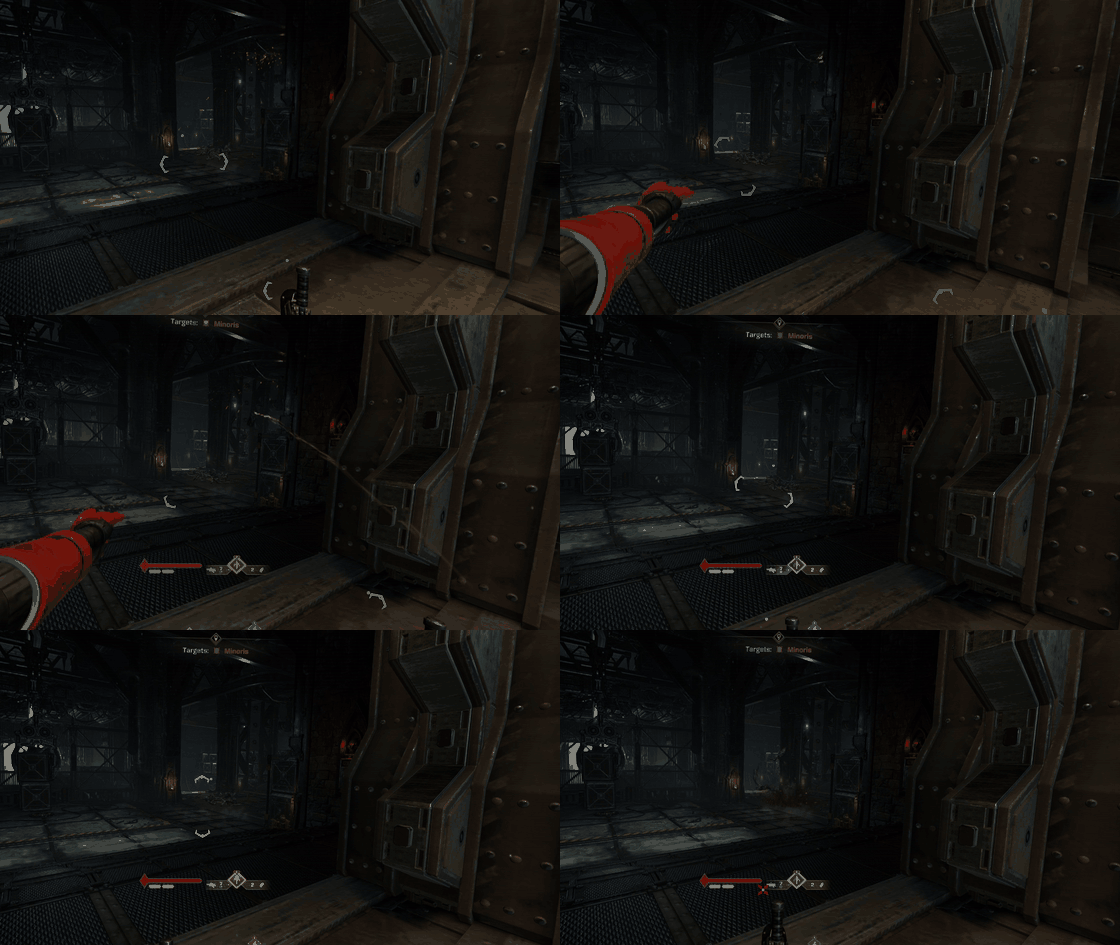
Let the agent handle the technical drudgery of rendering and the standard control stuff (moving, turning, calibration) using the defaults below. Spend your own headset time on:
- The feel of the other actions.
- Finding spew-worthy camera bugs.

- General playability.
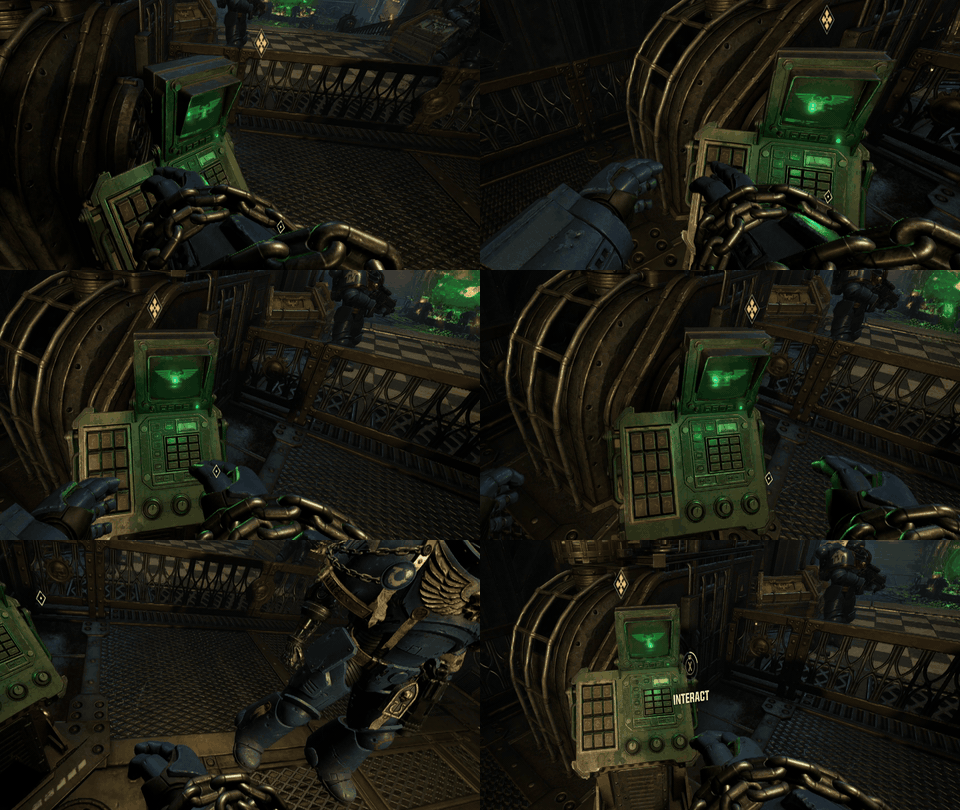
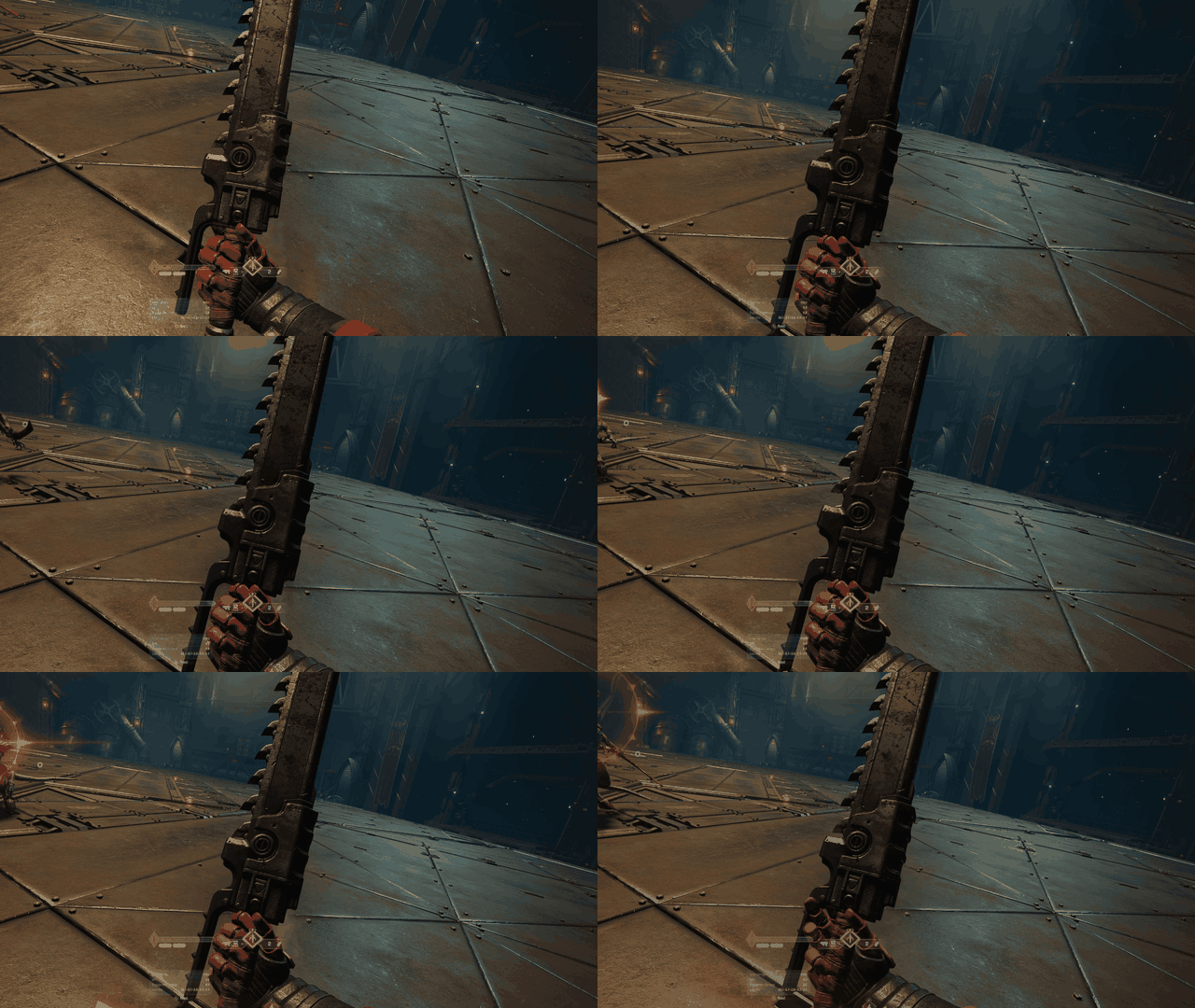
- Adding critical features like being able to rev a chainsword with the trigger.
Which VR mode to use?
-
Camera swap. Replace the game's camera with a VR camera and change nothing else. Players keep a normal controller and the game plays exactly as it did flat. The quickest to build, a good first milestone for basic VR support, and can be a pretty good way to trigger motion sickness.
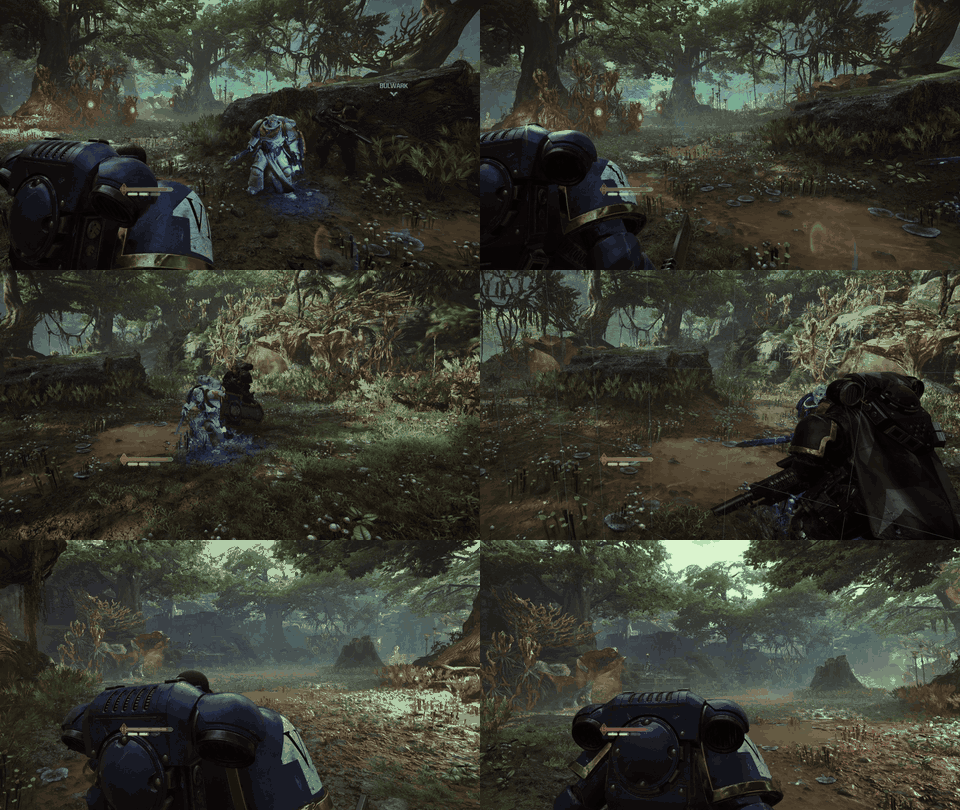
The normal game camera, now in VR. -
First-person full motion. You are the character: your head is the camera and your hands drive the arms and weapons. The most work, but absolutely the way I want to play out my Space Marine power trip.
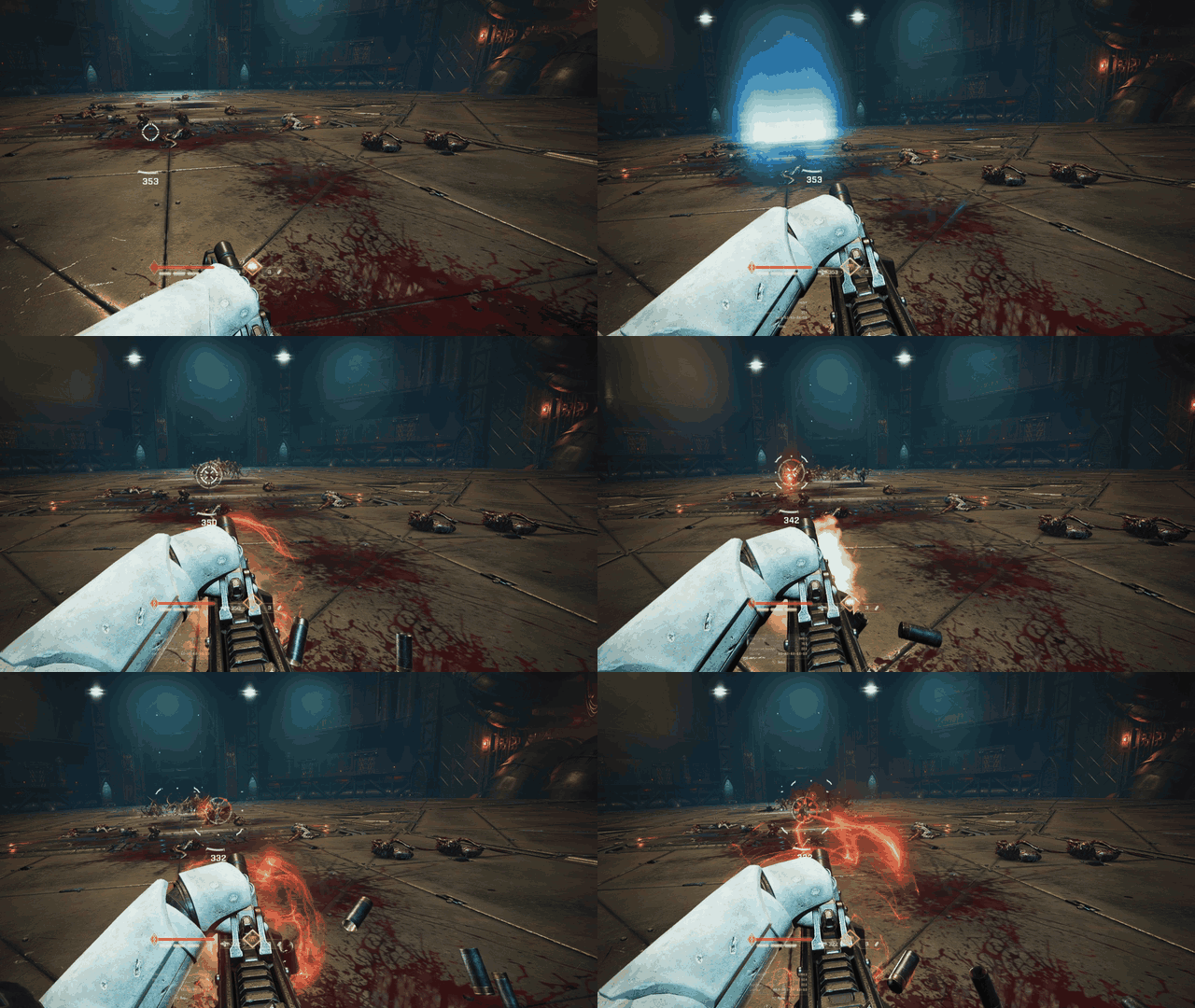
The Heavy, aiming with both hands. -
Diorama. For third-person games, the world is scaled down like a tabletop miniature (SM2: 10x) and viewed from a fixed spot above and behind, while the game's own gamepad layout does everything. This is my personal favourite for third person: a super cool way to play games, particularly with the fantastic environments in SM2. The view stays put while the character runs around in it, which avoids a lot of the motion sickness of a straight camera swap.
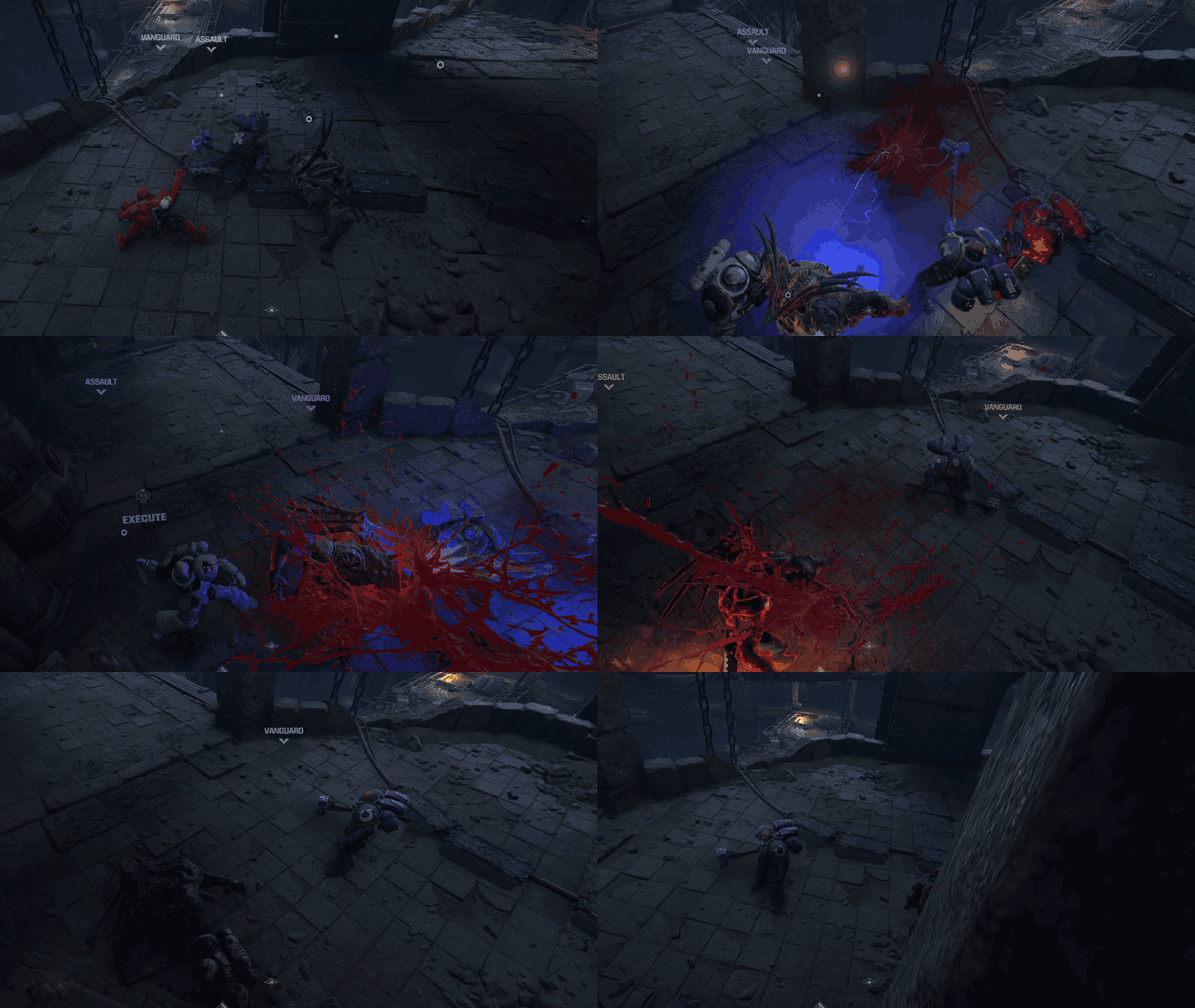
Chop your foes to pieces at tabletop scale.
Sort every action
- Have the agent list every action the game has, from its input bindings or controls menu.
- Sort each one:
- Keep on a button if it needs to be instant or frequent and has no easy physical equivalent: dodge, sprint, jump, the menu.
- Move to the body if there's an obvious physical action: drawing a weapon, throwing, healing, blocking, aiming.
- Drop or merge what VR makes redundant, like a free-look or aim-down-sights toggle when you can just raise the gun to your eye.
- Decide the body actions yourself, in the headset. The agent builds them with every threshold as a live setting, and reproduces each misfire you report.
Body zones: holsters and belts
Most games have something to swap or grab, and a zone on your body is the VR way to do it. Squeeze the grip with your hand in the zone to take whatever lives there:
| Zone | Common use |
|---|---|
| Over the shoulder | Primary or two-handed weapon |
| Hip | Sidearm |
| Belt or chest | Grenades, ammo, consumables |
| Mouth | Eat, drink, heal |
| Wrist | Map, inventory, objectives |
Things that make zones work:
- Place zones relative to the head's facing, not the world, so they follow you when you turn.
- Keep them apart from each other - mid fight chaos makes it pretty easy to accidentally grab the wrong thing.
- Suppress other gestures nearby. SM2 turns off melee swings around a holster grab, or reaching for a weapon swings the sword.
- Check what the button you're sending actually does in the game. SM2's hip holster sent the D-pad direction the game had bound to an emote, so drawing the pistol triggered a "For the Emperor"! A note to Claude now means raising a fist overhead does the shout on purpose.
Weapons and combat
- Guns aim where the hand points. Drive the game's own aim ray from the wrist so hits are honest. In SM2 you can now grab the gun with your off hand to aim with both hands. It's still rough alpha: the grab regions approximate the grip and gun body, not the full mesh, and more weapons and classes need testing.
- Melee swings are tricky to sync with game animations. They misfire: on SM2 the sword went off while using the gun, and fast swipes didn't always trigger attacks. I'm still not happy with where the melee is, feedback and fine tuning needed!
- Block or parry as a guard pose (off hand raised in front of the face). Surprisingly satisfying but harder to time than a button press.
The standard stuff
Hand the agent these defaults (defaults.md):
- Move: smooth locomotion on the left stick, hand-relative or head-relative, click to sprint. I prefer hand-relative, but allow either.
- Turn: snap turn on the right stick, 30° default (SM2 allows 15-90°), around the head.
- Calibrate: one button recentres. Head height, forward offset and wrist angle are live settings. Still feels a bit off in places.
- Body: controllers drive the arms through the engine's own IK. Hide the character's head, and stop running animations leaning the body into your view.
- Left-handed mode swaps everything. Plan it from the start, unlike me.
-
Menus on a panel in front of you, pointed at with the controller or scrolled.
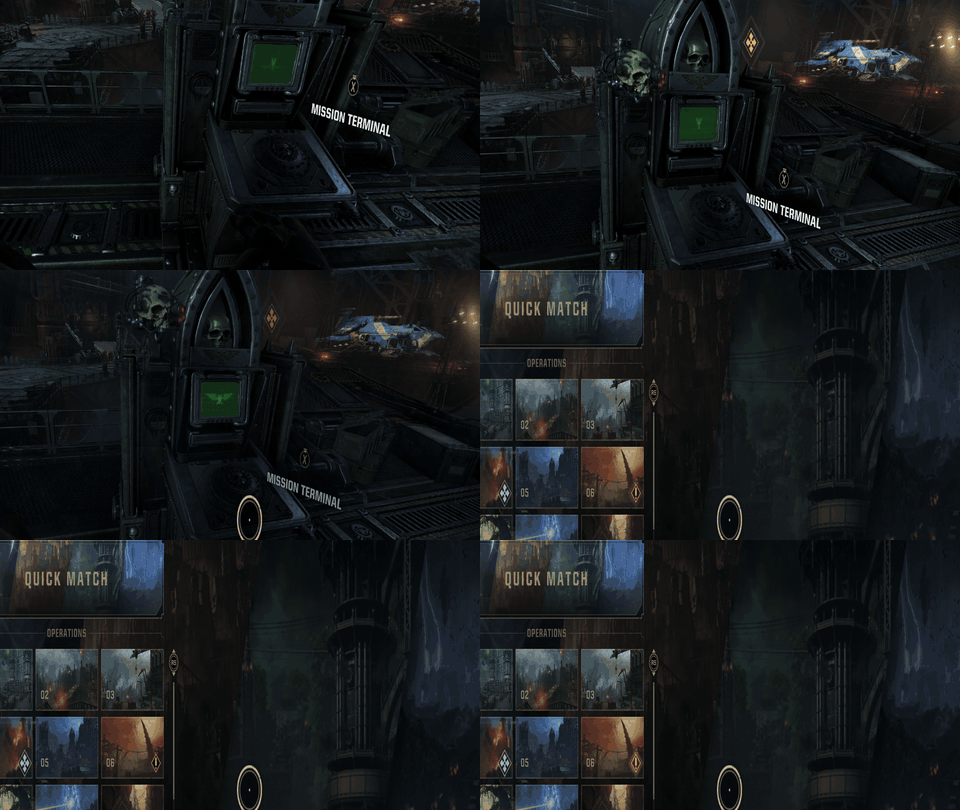
Menus were stuck way too far to the left with no way to see the whole thing. -
Post effects: motion blur, depth of field and lens distortion off. Depth of field blurs whatever you're looking at, and SM2's lens distortion put the whole world at the wrong depth.
- HUD: status panels head-locked below where you look. SM2's ended up 19° and 27° down at 1.2 m; at 13° the strip was in the way.
-
Crosshair: where the gun points, not stuck to your face. SM2's targeting already works out the hit point every frame, so the mod draws the game's own crosshair there in first and third person, ammo, reload and plasma heat included.
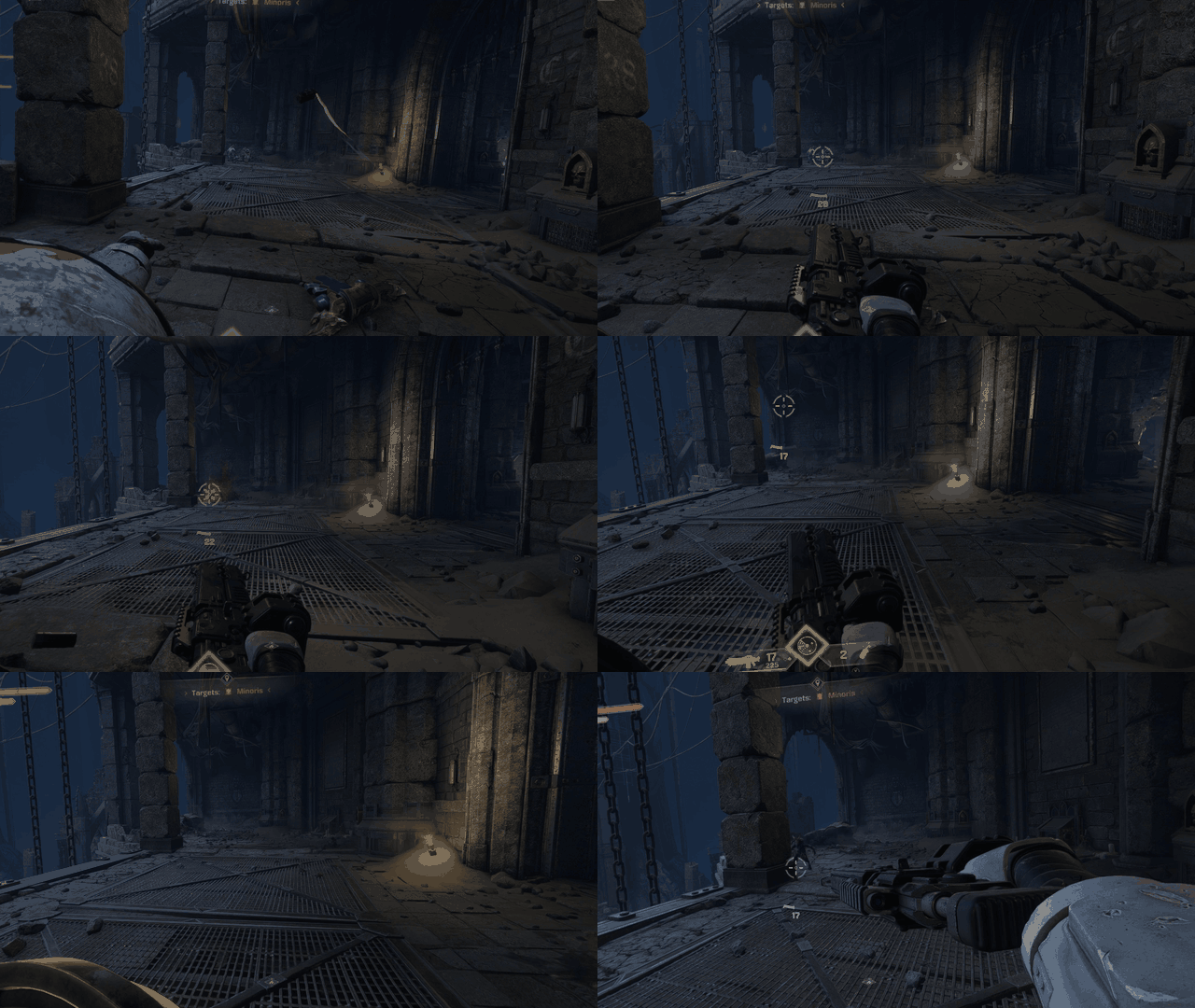
The crosshair follows the aim over enemies. -
Cutscenes hand the camera back to the game. Detect them (SM2 reads the engine's own cinematic flag), keep the horizon level, and don't let your head turns swing a camera that's far away from the character.
- Takeovers (finishers, grapple pulls, anything where the game moves you): give first person back when the game gives control back, not when its camera gets back to your head.
Agent version: vr-controls-design.